
ISO 13485 Complaint Section: Everything You Need to Know
If you manufacture medical devices, complaints are not just feedback — they are a regulated part of your quality management system. ISO 13485 treats complaint handling as a core requirement because complaints can be an early warning of a product safety issue, a manufacturing defect, or a gap in your processes. Handled well, they protect patients, keep you audit-ready, and feed directly into continuous improvement. Handled poorly, they turn into findings, recalls, and lost trust.
This guide walks through what the ISO 13485 complaint section actually requires, how a compliant complaint-handling process works, and how to set the whole thing up inside Isolocity QMS so tracking and compliance become part of your day-to-day workflow instead of a scramble before an audit.
What ISO 13485 Says About Complaints
ISO 13485:2016 addresses complaint handling primarily in Clause 8.2.2. It requires organizations to document procedures for receiving, reviewing, and evaluating complaints in a timely manner, and to keep records of that work. In practice, the standard expects you to be able to answer a few questions for every complaint that comes in.
- Was the complaint received, logged, and acknowledged?
- Was it evaluated to determine whether it needs investigation?
- If an investigation was warranted, was it carried out and documented?
- Was a determination made about whether the complaint should be reported to regulatory authorities?
- Were corrective and preventive actions considered where appropriate?
The standard also connects complaint handling to related processes: your corrective and preventive action (CAPA) process, your reporting to regulatory authorities, and, where relevant, advisory notices and recalls. A complaint is rarely an island — it often triggers other quality events.
Why Complaint Handling Matters Beyond Compliance
It is easy to treat complaint handling as a box-ticking exercise, but the medical device companies that do it well use it as a feedback engine. Every complaint is a data point about how your product performs in the real world, in the hands of real users. Trends across complaints can reveal a design weakness, a supplier problem, or a labeling issue long before it becomes a systemic failure.
There is also a clear regulatory incentive. Auditors and inspectors look closely at complaint records because they reveal whether your quality system is actually functioning. A well-documented complaint file that shows timely review, sound decision-making, and appropriate escalation tells an auditor everything they need to know about the health of your QMS.
The Anatomy of a Compliant Complaint Process
A robust complaint-handling process generally moves through the following stages. The exact structure will vary by organization, but the intent behind each stage is consistent with what ISO 13485 expects.
1. Intake and Logging
Capture the complaint the moment it arrives, no matter the channel — phone, email, sales rep, or portal. Record who reported it, when, the affected product or batch, and a clear description of the issue. A unique identifier makes the complaint traceable through the rest of the process.
2. Initial Review and Triage
Assess the severity and potential safety impact quickly. Not every complaint requires a full investigation, but every complaint requires a documented decision about whether one is needed. This is also where you flag anything with potential regulatory reporting implications.
3. Investigation
Where warranted, dig into root cause. Pull the affected parts or batches, review related records, and document what you find. If the complaint concerns a returned device, capturing whether the part was received for analysis is an important part of the record.
4. Determination and Action
Decide what happens next: whether parts need to be replaced, whether a recall is required, whether the issue should be escalated to CAPA or a nonconformance report (NCR), and whether regulatory reporting is triggered. Record the rationale, not just the outcome.
5. Closure and Trending
Close the complaint with a clear record of the decision and any actions taken, then roll it into your broader trend analysis so recurring issues surface over time.
Setting Up a Customer Complaint Template in Isolocity QMS
Isolocity lets you build a customer complaint template once and reuse it every time a new complaint comes in, so the right fields are always captured and everything stays connected to the rest of your quality system. To create one, head to the Templates section, start a new template, and choose Customer Complaint as the quality event type. From there you build out the fields your team needs to capture on every complaint.
A practical template usually starts with the basics — who reported the complaint, the date it was received, and the affected product, part, or batch — and then moves into the fields that drive your decision-making. Below are the key decision fields to include, along with how to save, approve, and then file an actual complaint against the template.
Complaint details
Start with the identifying fields: the customer or reporter, the date received, and a clear description of the issue. Link the affected part, batch, or product here so the complaint is tied to the right record from the start. Because these fields connect to your internal modules, you can look up existing customers and parts rather than retyping them, which keeps your data clean and traceable.
Initial assessment
Next, capture the early triage decision: how severe the complaint is, whether it points to a potential safety issue, and whether a full investigation is warranted. Documenting this decision — even when the answer is that no investigation is needed — is exactly the kind of record an auditor wants to see.
Part received?
This field records whether the affected part was physically returned to you for analysis. Capturing it up front keeps your investigation records complete and makes it clear whether findings are based on the actual device or on the customer’s description alone.
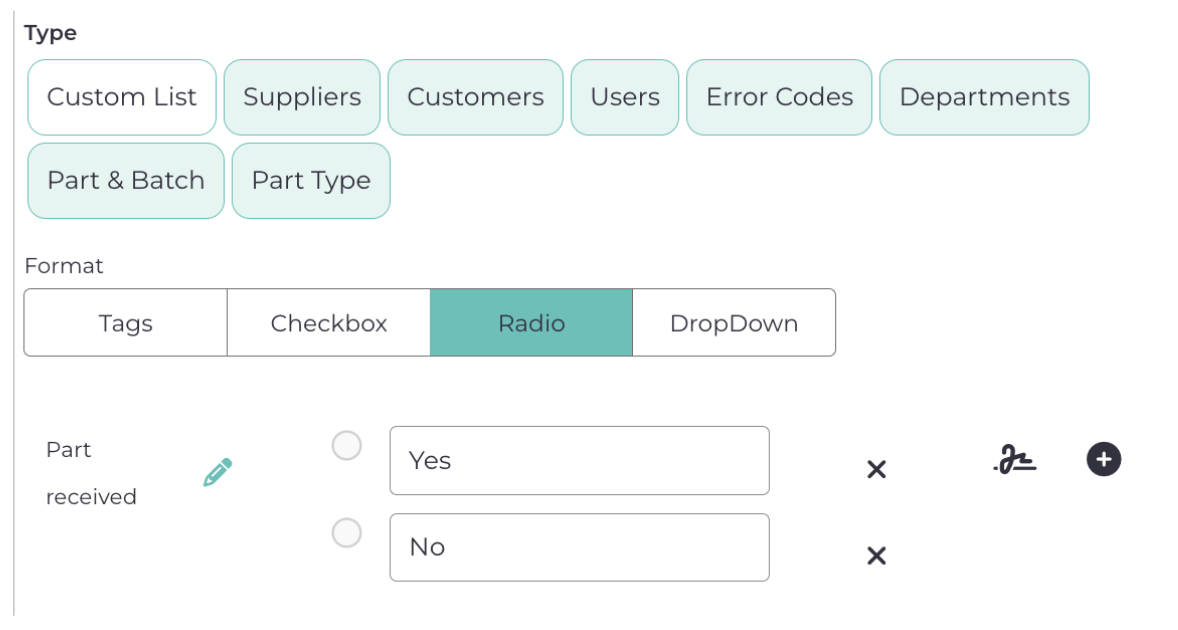
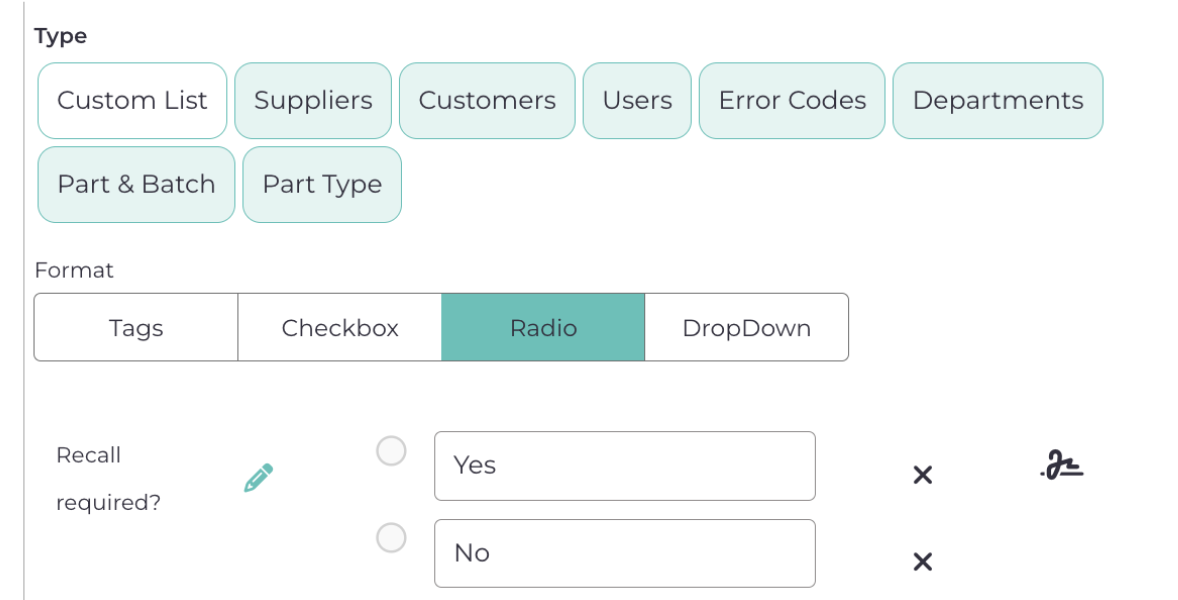
Recall required?
Use this field to document the determination of whether the complaint warrants a recall. Even when the answer is no, recording that decision — and the reasoning behind it — is exactly the kind of evidence an auditor looks for.
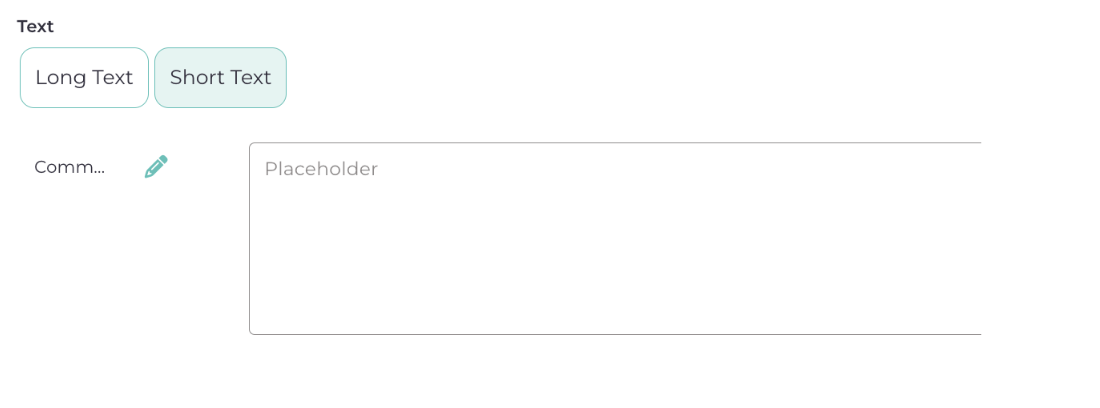
Comments
The comments field is where you capture context that does not fit neatly into a structured field: investigation notes, communication with the customer, or the rationale behind a decision. Keeping this detail in the record makes the complaint file self-explanatory later.
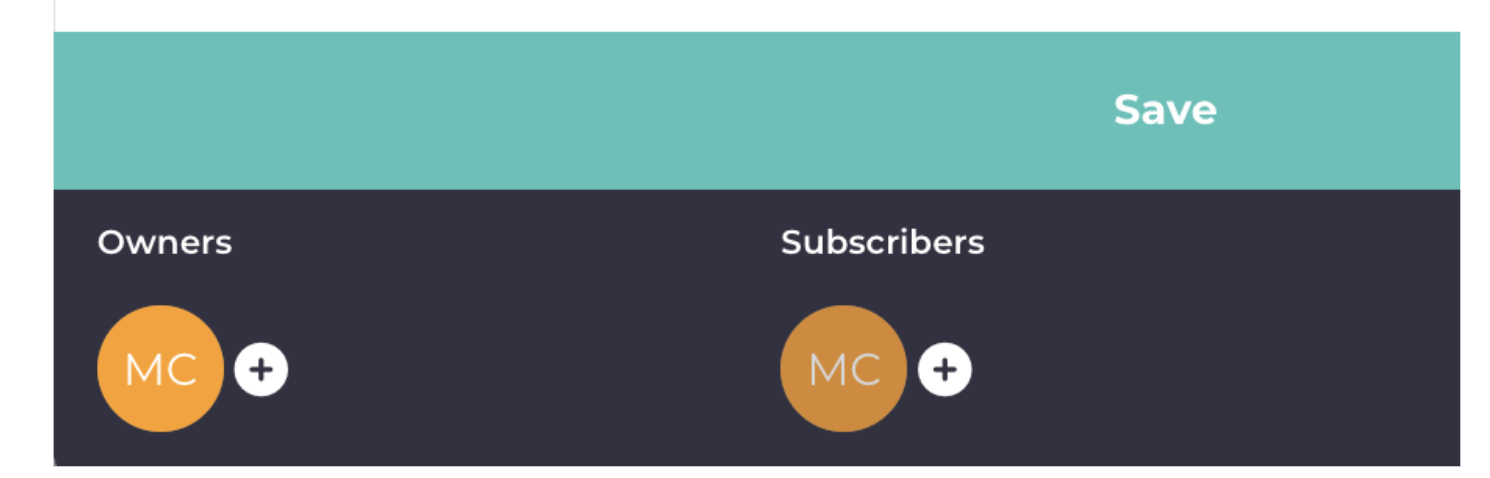
Once you are done with all the fields, click the Save button. Also remember to add subscribers if you have anyone in mind who should be notified about this complaint.
And you are done with the customer complaint template. Now let’s see how that looks when you try to file a new customer complaint. But before doing so, you will have to approve the current template you have just created. So head over to the template section, open the template you have just created, and click on Approve.
Now let’s go to the Quality Events module and see if you find that template. Open Quality Events and click on the + sign in the top right.

In the quality event type dropdown, search for the quality event you just created, and it will show up.
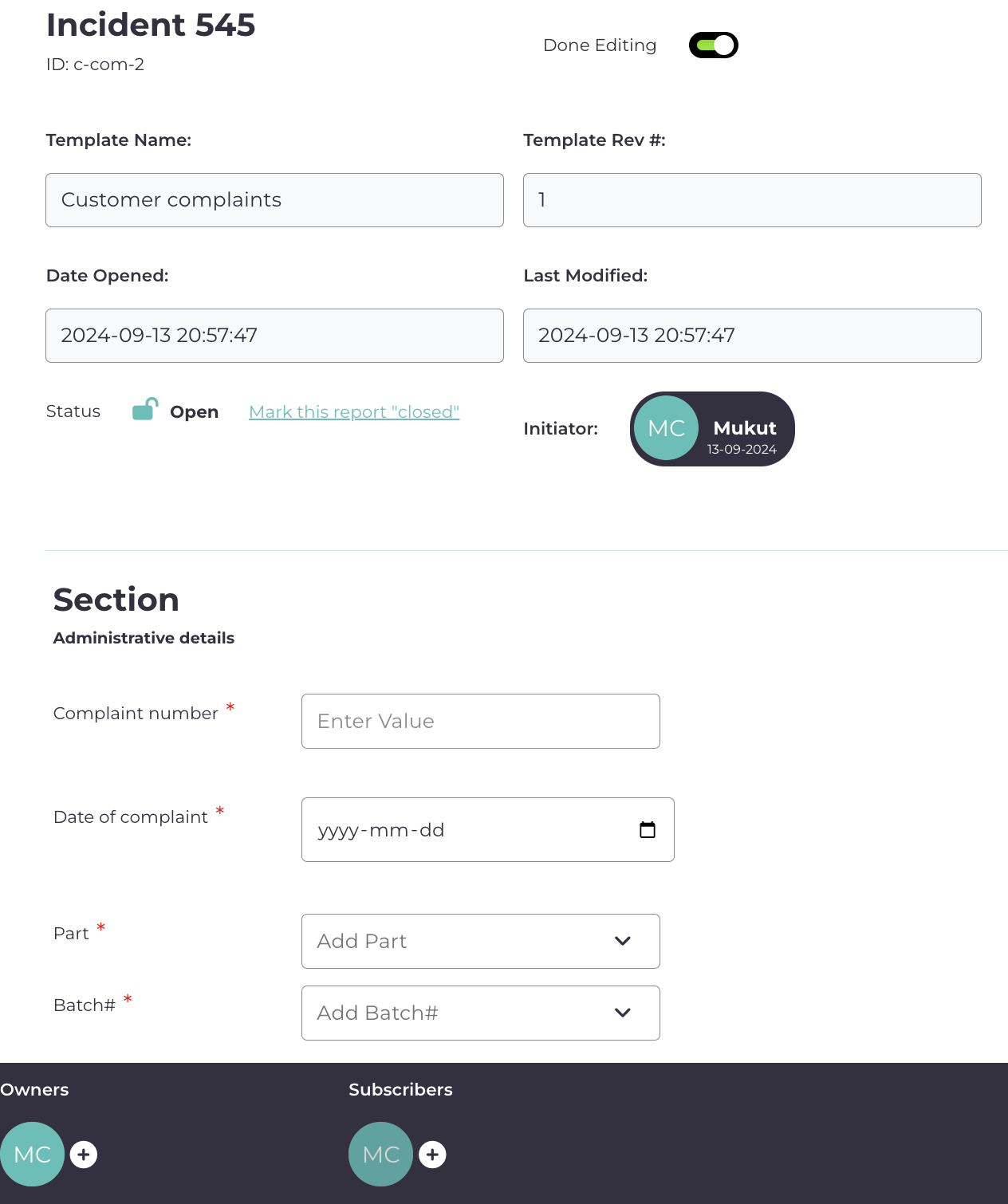
Select that template and start creating the customer complaint. For the name, give it anything — let’s say, Incident 545.
Now as you start filling it up, you will see all the fields you entered in the template are popping up here. Not only that, they are also connected to internal modules that you linked — for example, you will be able to look up parts or batches, look up customers, and more.
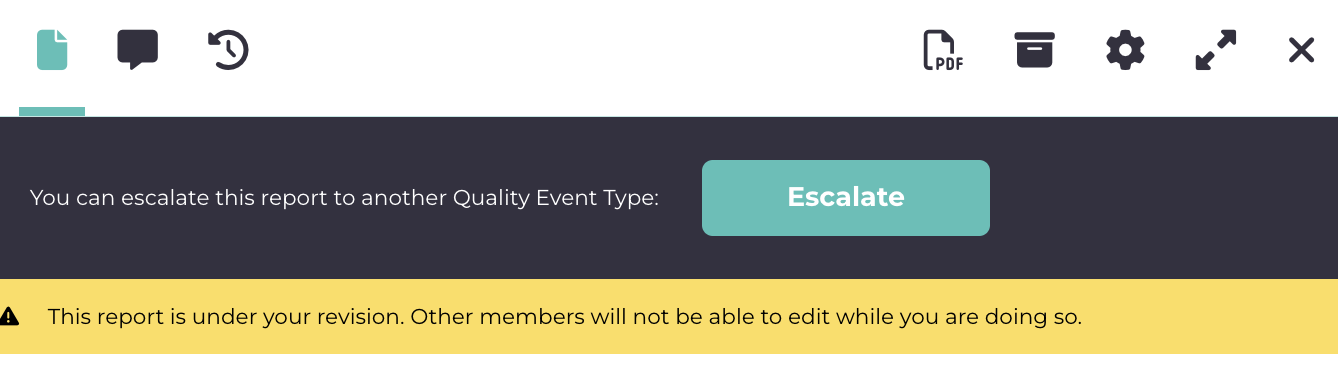
At the top you would notice that you can also escalate this to another quality event. For example, if you want to link it to a CAPA or an NCR, you can do it from here, and all of them will be interlinked.
Best Practices for ISO 13485 Complaint Handling
- Log every complaint, no matter how minor it seems — the record is your evidence of a functioning system.
- Make the review-and-triage decision explicit, so it is always clear why an investigation was or was not opened.
- Connect complaints to CAPA and NCR where appropriate, rather than treating them as standalone events.
- Document regulatory reporting decisions, including the reasoning when reporting is not required.
- Review complaint trends regularly so recurring issues surface before they become systemic.
Conclusion
Complaint handling is a critical aspect of ISO 13485 compliance, but it doesn’t have to be overly complex. By setting up a clear process, automating where you can, and focusing on corrective actions, you’ll keep your customers happy and your products safe. And with a tool like Isolocity QMS, managing complaints becomes a streamlined process, helping you focus on continuous improvement and long-term success in the medical device industry.



.png)
Non Conformance Management Software: Track & Prevent NCRs

What Is a Corrective Action Request (CAR)?

Beyond the Checkmarks: How Isolocity Conquered ISO 27001:2022 (And What It Means for Your Operations)
Join Our Newsletter



