
5 Isolocity Document Management Features for ISO 9001
Isolocity's document management software helps quality teams control, edit, and track the documents their quality system depends on — without the manual upload-and-download cycle most systems still rely on. If your business runs on documents, a reliable document management system (DMS) is essential. Here's how Isolocity's DMS works and where it stands out.
Edit documents directly in OneDrive and SharePoint — no upload or download
Document control is a core requirement of ISO 9001, which makes it a core part of any quality management software. Yet with most systems, keeping documents current means a repetitive upload-download loop.
Most organizations store their documents in Microsoft OneDrive or SharePoint. With a typical DMS, editing one of those documents looks like this:
- Find the document in OneDrive.
- Go to your DMS.
- Upload the document.
- Realize you need to make edits.
- Go back to OneDrive.
- Edit the document.
- Re-upload the document.
Isolocity removes those steps. Because it offers official integration with Microsoft OneDrive and SharePoint, the process is just:
- Locate your OneDrive document.
- Realize you need to make edits.
- Edit it directly within Isolocity.
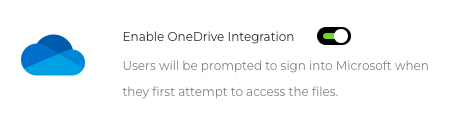
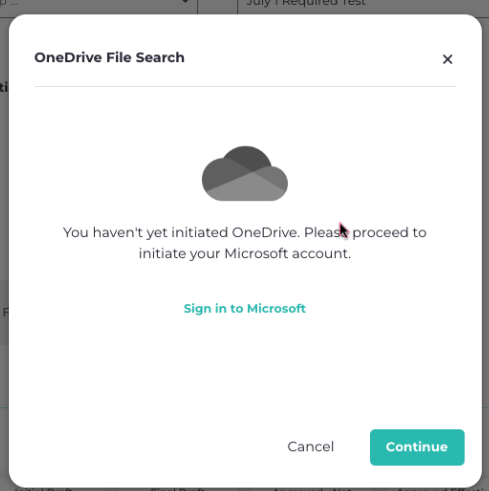
Isolocity is one of the few QMS platforms with an official Microsoft integration for OneDrive and SharePoint. Setup is a one-time step: enable the OneDrive integration, then sign in to your Microsoft account.
Concurrent editing control prevents duplicate document versions
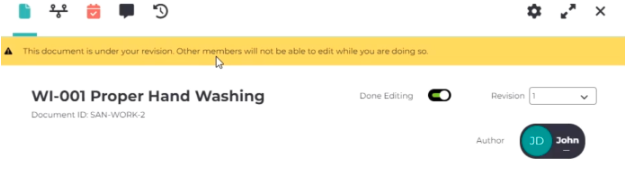
Isolocity prevents two people from editing the same document at the same time. When one person is editing a document, it's locked to others until they're done — so you never end up with conflicting copies or duplicate versions. For organizations with thousands of employees across multiple sites, this single control eliminates a common source of document confusion.
Full audit trail with version-to-version change tracking for ISO 9001
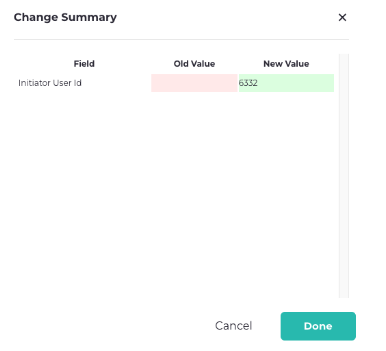
Isolocity's activity tracker records a complete audit trail for every document — essential for ISO 9001 compliance. It logs external actions such as assigning a document owner or changing the approval matrix, and it also captures edits made inside the document itself.
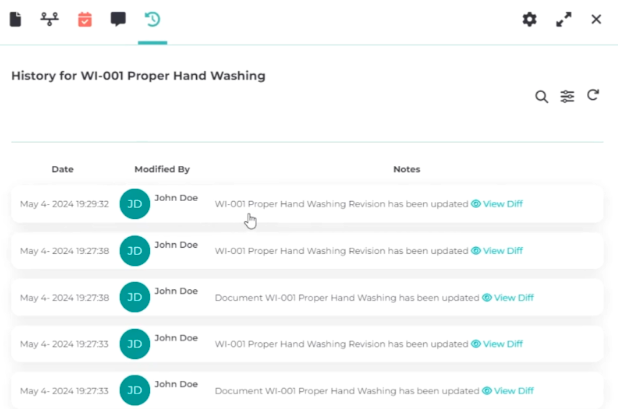
It goes further than a side-by-side comparison: Isolocity pinpoints the specific changes made between two versions of a document, so you can see exactly what changed and when.
Built-in document discussions and linked training
Isolocity includes a built-in discussion feature so collaboration happens inside the DMS instead of scattered across email and chat. Every discussion is recorded for later reference, you can mention colleagues to notify them in-platform and by email, and a side panel shows everyone who contributed — adding transparency and accountability to the document trail.
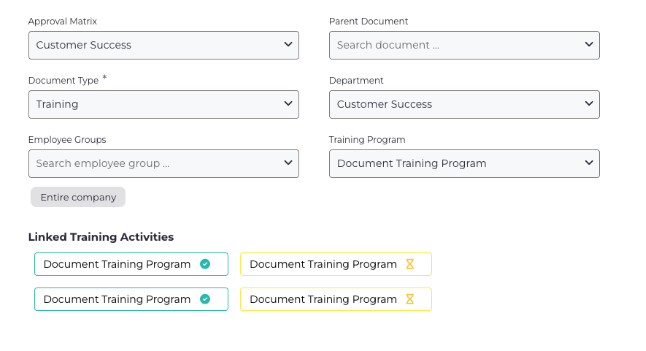
Documents also connect directly to training processes. A new Standard Operating Procedure (SOP), for example, can automatically trigger the corresponding training. When an employee opens that training, the document is available to review before they answer any related questions — keeping teams informed and audit-ready.
Interactive dashboards for document and training metrics
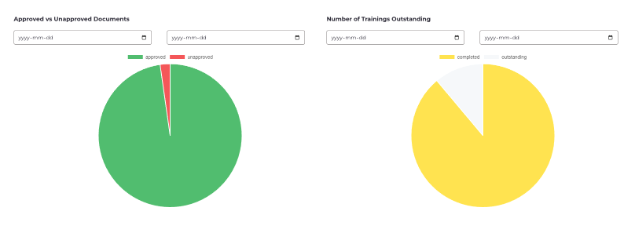
Isolocity provides interactive graphs alongside the standard list view, giving supervisors and senior staff a fast read on the metrics that matter — approval rates, training completion percentages, and overall document status. The graphs are interactive: click legends to adjust the view, or filter by date range and other criteria for a more detailed, real-time analysis that supports better decisions.
Conclusion
Isolocity's document management software covers far more than the features above. It includes a robust search for quick retrieval, bulk or filtered document downloads, automatically generated cover pages with key information, and clear parent-child relationships between documents for a well-organized hierarchy — all designed to keep document control efficient and compliant.
If you'd like to see how it fits your quality system, get in touch and we'll walk you through it.



.png)
Scalable QMS: How to Right-Size Your Quality System
.png)
.png)
Join Our Newsletter



